

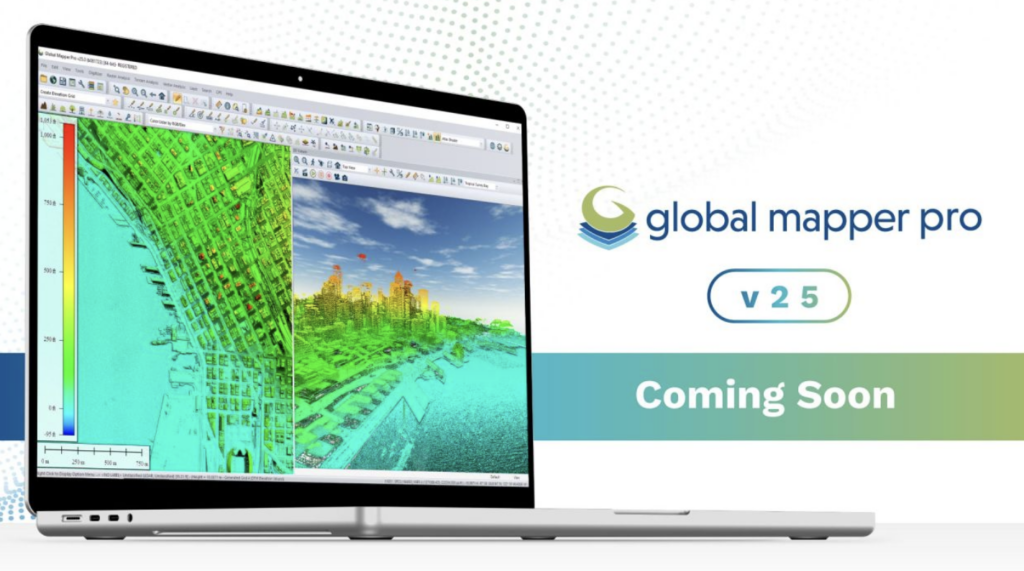
Exploring the Enhanced Features of Global Mapper Pro 25
Blue Marble Geographic’s Global Mapper Pro stands out as a extensive GIS solution for the analysis and processing of various data types, including vector, terrain, imagery, and point cloud data.
With compatibility for over 380 file formats, Global Mapper integrates effortlessly into yoru existing systems. The latest version introduces several exciting features, such as an Automatic Point Cloud Analysis tool, capabilities for positioning optimal flattened site plans, plotting the least cost path across landscapes, Image Painting, and enhanced vector feature applications in Watershed analysis. Additionally, users will experience notable improvements in processing speed for pixel-to-point conversions.
Revolutionized Point Cloud Classification
Users familiar with the point cloud processing capabilities in Global Mapper Pro will notice a meaningful overhaul in version 25.The previous automatic classification toolbar has been replaced with a unified tool called Automatic Point Cloud Analysis, which consolidates all classification, extraction, and segmentation functions. This integration allows for a more streamlined workflow, enabling multiple classifications to be executed in sequence using shared settings within a dockable, tabbed interface.
The updated classification tools provide precise automatic categorization for various elements, including buildings, ground surfaces, and noise. The segmentation tool empowers users to create tailored lidar classifications by leveraging shared characteristics among points, such as intensity values and curvature. As an example,users can segment point clouds by color to isolate road markings,by intensity to identify vehicles,or by curvature to differentiate areas with varying slopes. Following classification, vector feature extraction tools can generate 3D representations of structures, trees, and power lines present in the data.
Segmentation can also effectively identify features on a golf course, distinguishing between cart paths, tee boxes, fairways, and taller vegetation based on intensity and other attributes.
Efficient Pathway Analysis
When navigating through complex terrains, it’s essential to consider existing structures and challenging areas. The new Least Cost Path tool in Global Mapper version 25 offers a terrain analysis method to determine the most efficient route between specified locations. By evaluating all possible options, it identifies the optimal path while minimizing slope angles and avoiding obstacles. This tool is particularly useful for planning roadways on construction sites, providing a fast solution to avoid common planning errors.
Creating Photogrammetric Point Clouds
The Pixels to Points feature within Global Mapper Pro is a powerful photogrammetric processing tool that generates photo-textured 3D models, orthoimages, and high-resolution point clouds using Structure from Motion (SFM) and Multi-View Stereovision techniques. By utilizing overlapping images captured by UAVs, these models can be employed in Global Mapper for various applications, including terrain volume measurement and detailed base map creation. The latest version enhances the Pixels to Points tool,considerably reducing processing times and refining the Input Wizard for a more efficient workflow.
The Pixels to Points Input Wizard simplifies the photogrammetric process for both seasoned users and newcomers by streamlining the selection of settings.Users can easily import images and specify their desired outputs, including a quick assessment option for quality checks.Global Mapper automatically adjusts the settings to align with the input, offering an option for further customization.The primary dialog allows for the addition of control points and advanced settings like masking and color harmonization,making it a robust tool for spatial data creation and editing.
Optimal Site Planning Made Easy
In construction, identifying or creating a flat site is crucial to minimize earthwork for foundations or concrete pads. Global Mapper’s terrain analysis tools enable users to model potential sites, saving time and resources by reducing the need for field surveys. The new Create an Optimal Flattened Site Plan tool assesses terrain to find the best placement for a flattened site, focusing on minimizing cut and fill volumes.This search can be confined to a specified area, and once the optimal site is resolute, the tool provides measurements for soil volume adjustments needed to achieve a level surface.
By modeling the placement of a flattened site, users can optimize soil usage, possibly eliminating the need for additional fill or removal.
Whether dealing with lidar data, intricate terrain surfaces, or seeking to enhance workflows with Python, Global Mapper Pro offers significant improvements to your operational efficiency.
Join us for a live demonstration of these innovative tools in our upcoming webinar on Wednesday, September 27th. Don’t miss the chance to download a free trial and explore all the features available in Global Mapper Pro 25.