

Point clouds, characterized by their intricate three-dimensional data, have transformed our approach to mapping and analyzing the environment.However, the full potential of point clouds is ofen realized thru careful classification. This is where Global Mapper Pro comes into play—a powerful GIS software that not only manages point cloud data but also enhances its functionality through elegant sub-classification methods.
This article delves into the recent innovations by blue marble Geographic in point cloud sub-classification, presenting a groundbreaking method for professionals eager to maximize the utility of their data. By segmenting complex datasets into more manageable and detailed components, this advanced tool enables users to conduct deeper analyses, yielding clearer insights and supporting more informed decision-making.
custom point cloud classifications pave the way for advanced management through sub-classifications.
The ability to create tailored feature classifications within a point cloud is a state-of-the-art tool introduced in version 25 of Global Mapper Pro. This functionality empowers users to utilize machine learning techniques to develop a custom model that identifies specific features within a point cloud for classification. These classifications can include standard categories like ground or buildings, or new categories such as sidewalks or fire hydrants. But what happens when a classification requires further refinement or additional classes need to be identified within it? This is where sub-classifications prove invaluable.
Understanding sub-Classifications
Released earlier this year in Global Mapper Pro v25.1, point cloud sub-classifications enable users to enhance an existing class. Sub-classes are essentially subdivisions of an already established class. Once a custom feature classification is trained, sub-classes are assigned their own unique classification code, name, and colour, allowing for precise identification of the feature of interest.
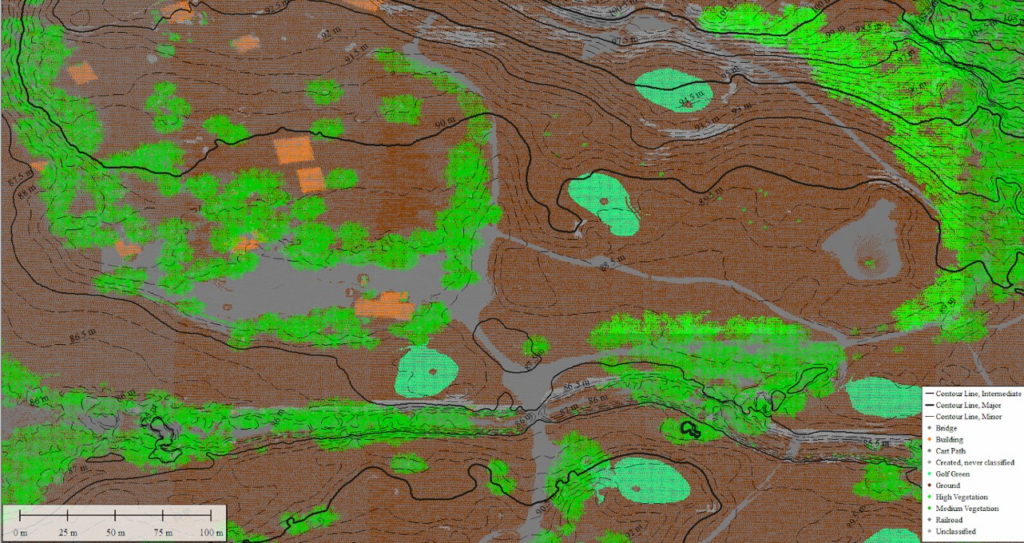
In this point cloud of a golf course, subclassifications of Ground points include cart paths (gray) and golf greens (sea green).
Sub-classifications can be utilized in various scenarios, from pinpointing cart paths on a golf course to identifying specific roof types on buildings. For instance, let’s examine an airport scenario where we aim to identify runway markings on a surface already classified as ground.
Steps to Create a Sub-Classification
When establishing a custom classification, whether it’s a primary class or a sub-class, the process revolves around utilizing attributes from training samples to create what is known as a signature. These attributes resemble those used by the segmentation tool to cluster points: physical structure, return number, etc. Once this signature is established,it is employed to identify subsequent points that meet the criteria. The point cloud in question has RGB values, which will be crucial in differentiating the paint from the runway. This process can also leverage segmentation outputs to assist in building signatures. For detailed guidance, refer to: How to Train a Custom Point Cloud Classification in Global Mapper Pro.
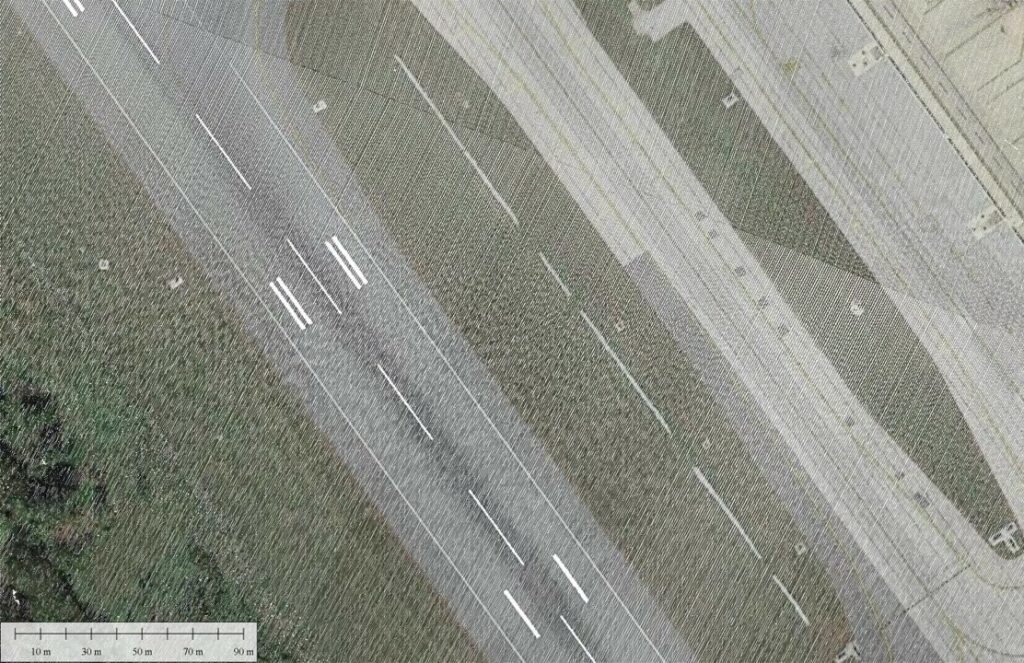
The goal of this workflow is to classify the painted lines as a subclassification of the existing Ground class.
The initial step in this process involves utilizing the built-in automatic classifiers. This enables the identification of ground, vegetation, buildings, and power lines (not shown). The ground classification encompasses the runway, grassy areas, and other similar flat features.
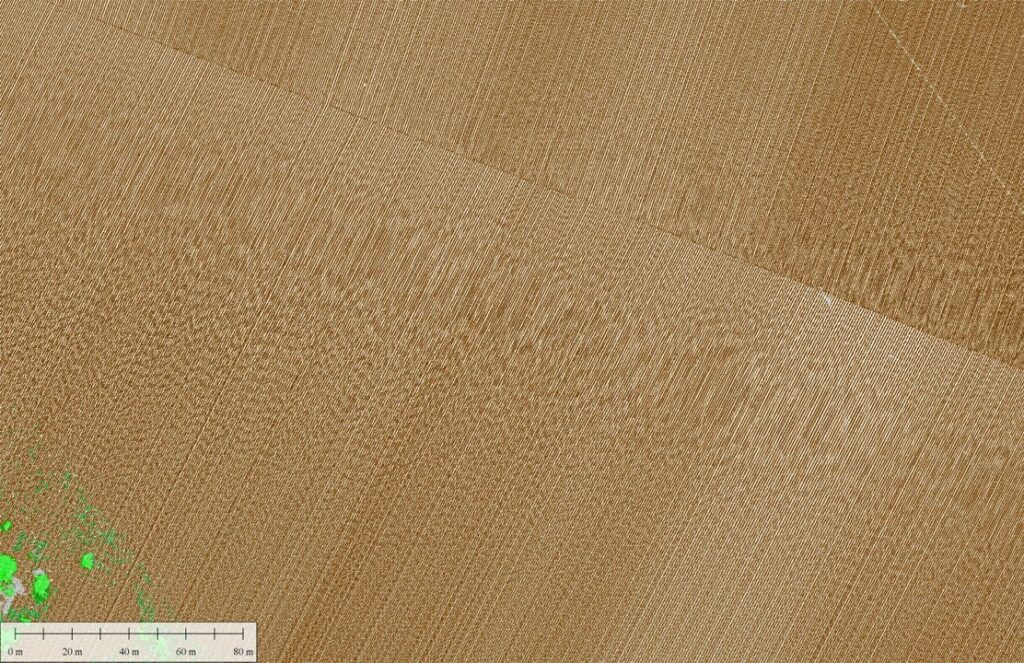
Use the automatic classification tools first to exclude any irrelevant points from processing, such as the vegetation pictured here.
In many cases, the classification achieved is precisely what is needed. Ground is classified irrespective of whether it is paved,grassy,or otherwise. However, when more detail is necessary, sub-classification becomes the next logical step.
The sub-classification process is set up similarly to a custom-trained classification. The key difference is that the option “Is subclass of” is set to ground. Once configured, the classification can be trained by selecting points that represent the feature within the ground points to be classified. In this scenario, using RGB visualization aids in clearly identifying the paint markings. Pre-segmenting the point cloud can also assist in creating clusters of points for selection.
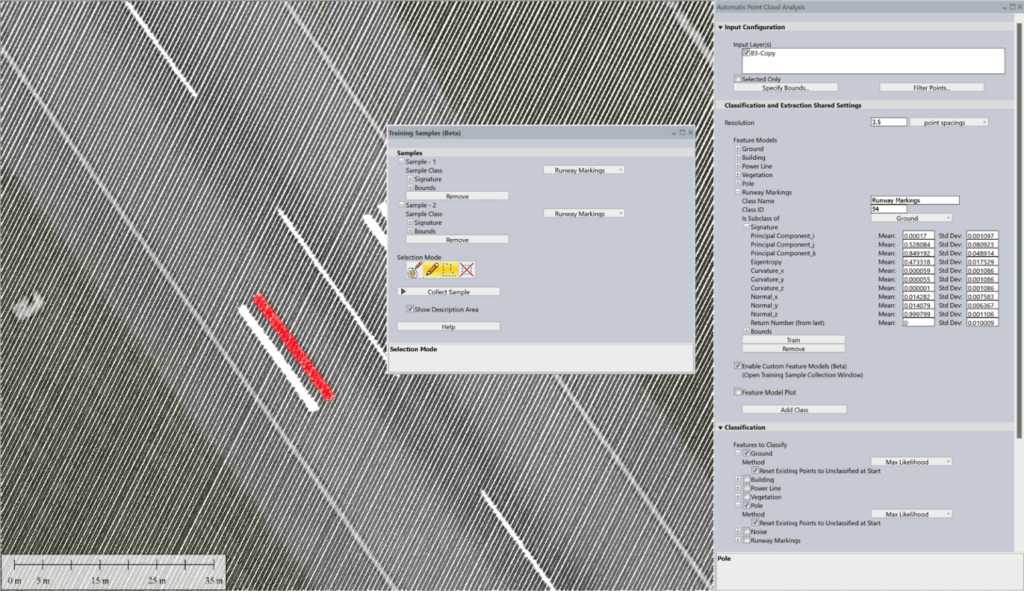
The sub-classification is trained based on the signature of selected points in the point cloud.
After completing the training, the classifier can be executed again, this time concentrating on the newly established runway markings sub-class. The outcome is the independent classifications of the paint markings, with the white color assigned randomly but customizable by the user as needed.
Tip: You can modify the classification color from the Lidar section in the Configuration menu.
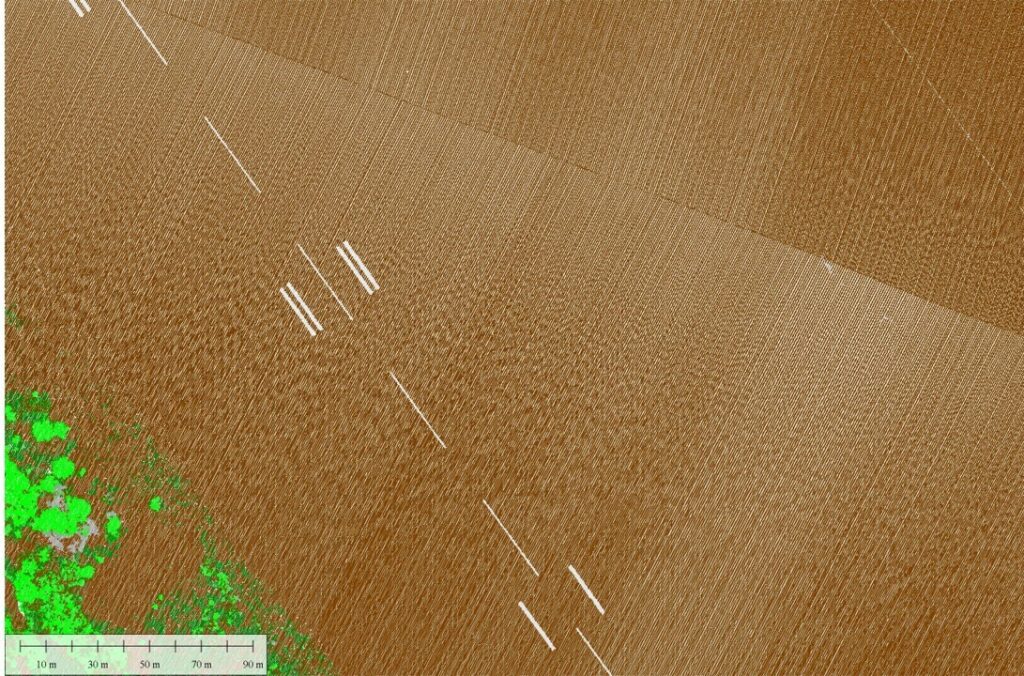
The white paint lines are now a subclassification of the ground. They are functionally the same class but still distinguishable in visualization and analysis.
Once a classification is assigned, these sub-class points can be differentiated from the parent class without being excluded from it. As a notable example, if a digital terrain model is created using only ground points, the paint points, being a subclass of ground, will also be included in the model. Sub-classifications provide enhanced control over data, allowing for more precise fine-tuning and analysis of the results.
Experience Global Mapper Pro with a complimentary 14-day trial today.